Real Time Bi-directional SIS Integration with LYNX
If you're currently comparing SIS integration claims from different scheduling vendors, here's what LYNX actually does, and how long it's been doing it.
Built to Sync, Not Just Upload
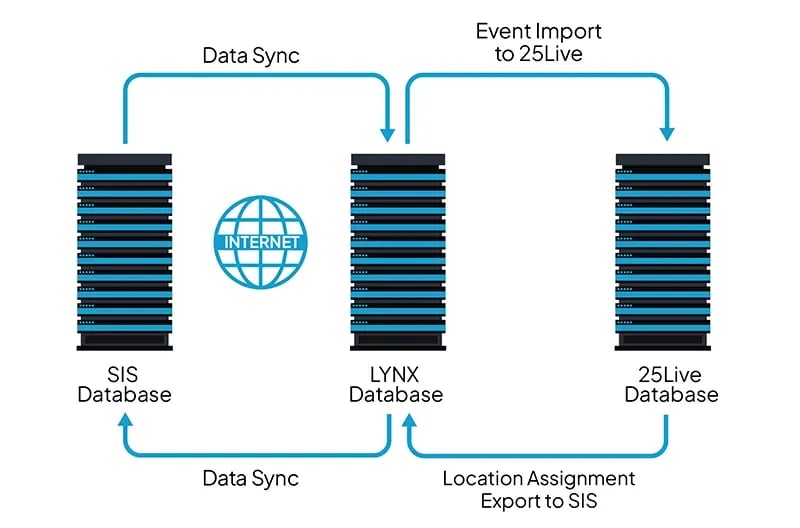
LYNX doesn't run on a batch schedule. Course sections and reference data sync in from your SIS automatically, typically updating as often as every 60 seconds. Location assignments sync back out to your SIS the same way, and for Workday, Banner, and Campus Solutions, meeting pattern data syncs back out too. None of it requires a scheduler to trigger an upload, switch on transactional mode, or manually send assignments back. That eliminates the double-bookings and stale-data problems that come from two systems checking in with each other once a day or once a term.
One Interface, Every Major SIS
LYNX connects to Workday, Oracle's Campus Solutions (PeopleSoft), Banner, Colleague, Ethos, Anthology, and Jenzabar, with a Universal connector available for homegrown, legacy, or other systems. Institutions in the middle of an SIS migration, or ones inheriting whatever the last administration chose, don't need a different scheduling interface for each one. LYNX is built to handle the SIS you have now and the one you might move to next.





First To Market with Workday Integration
CollegeNET's Workday integration has been live since August 2019. While other vendors claim to be first, CollegeNET stands on proof over promises. The LYNX for Workday interface is developed and supported entirely in-house, not licensed from or handed off to a separate company, and it has run in production for years, not months.
Course section and reference data sync automatically from Workday. Location assignments and meeting pattern data sync back out the same way, so the connection stays current in both directions where it matters most. The connection also checks its own health regularly, catching problems before they take a scheduler's time.
More than 50 institutions currently run Workday alongside 25Live through LYNX.
Built and Supported In-House
CollegeNET builds and supports LYNX ourselves. We don't outsource its development for Workday or for any other SIS to a separate company. When something needs to change, whether that's an update to an SIS vendor's API or a fix specific to your institution, the same team that built the interface is the one maintaining it and there to help you.
Clean Data, Fewer Fire Drills
Manual reconcilliation is where data quality problems start. LYNX gives you:
- No room assignments made in one system that never appear in the other
- No sections canceled in the SIS that a less-connected scheduling system won't catch for hours
LYNX's automated sync closes those gaps, so staff spend less time double-checking two sources of truth and more time trusting the one they have.
What Customers Say
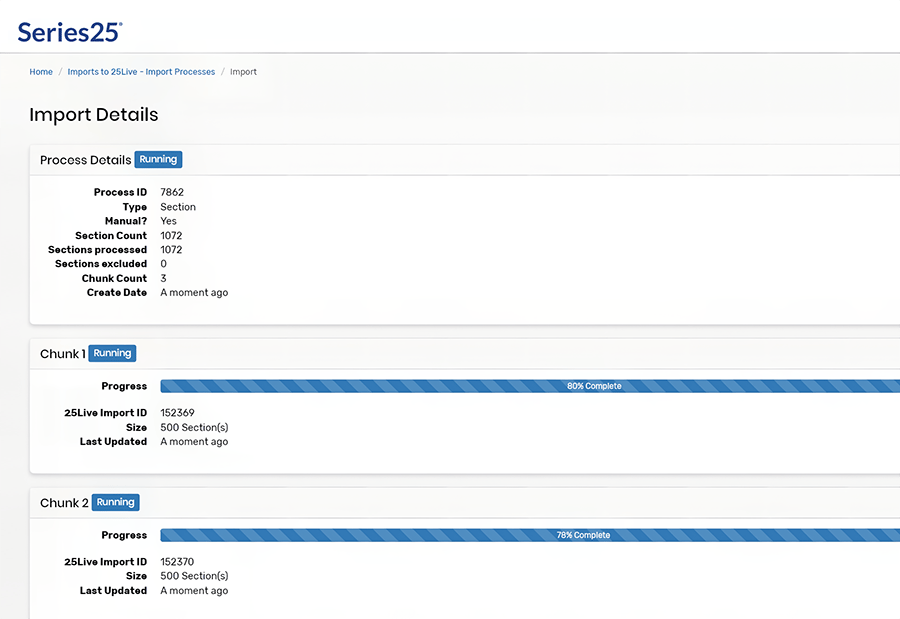
"I’m used to sitting and importing all the 1000-1500 spring courses over about three hours. With LYNX, I was done in less than five minutes. I was completely floored. You just select a semester, push it through, and poof—it’s done! It’s truly night and day."
"All data updates are automatic and fast. Information is current within minutes."
Setup Without the Wait
Course sections and reference data sync in from your SIS automatically, typically every 60 seconds. Location assignments and, for Workday, Banner, and Campus Solutions, meeting pattern data sync back out automatically as well. There's no batch upload to trigger and no transactional mode to turn on.
Banner, Colleague, Oracle's Campus Solutions (PeopleSoft), Workday, Ethos, and Anthology, with a Universal connector for homegrown, legacy, or other systems.
Yes. CollegeNET builds and maintains every LYNX interface ourselves. We don't outsource any of it to a separate company.