
The CollegeNET User Conference is headed back to The Nines Hotel in downtown Portland, Oregon
July 20-23, 2026
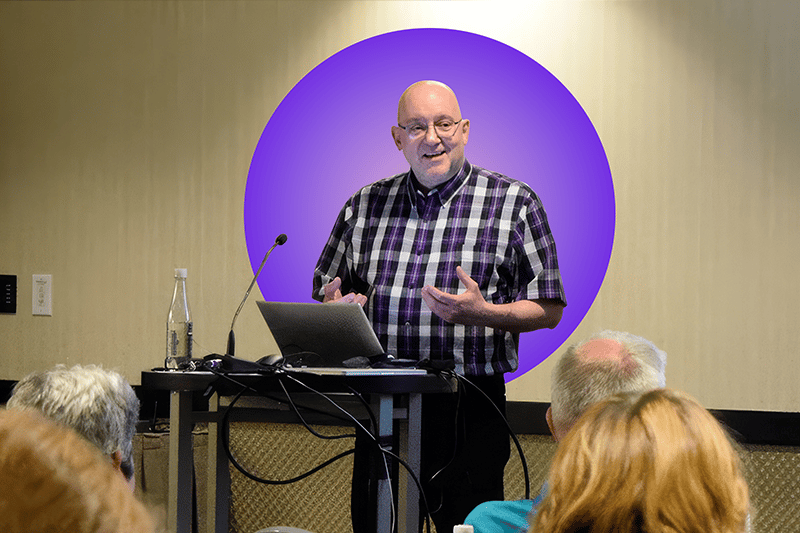
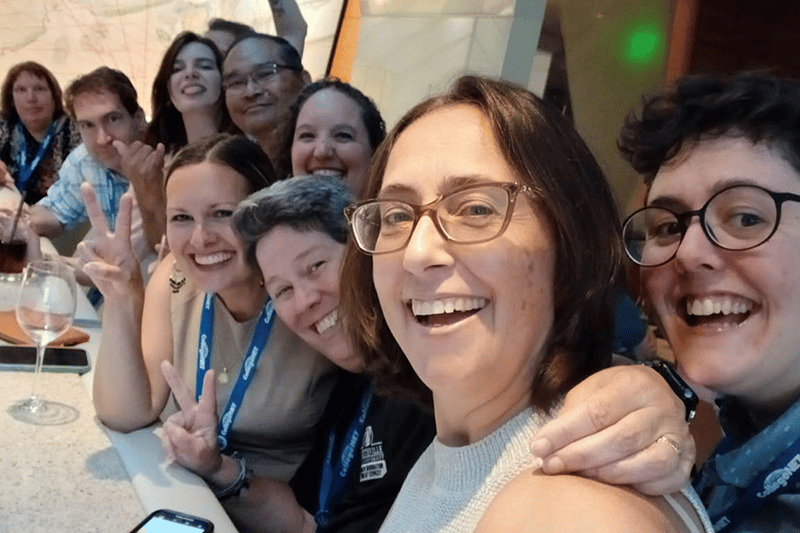
Think hands-on learning, product updates, customer stories to spark new ideas, and of course, great food and even better company! If you’ve joined us before, you know it’s part conference, part reunion, and 100% worth it. If you haven’t—2026 is your year to see what all the buzz is about.
Here's what people are saying about CollegeNET CONNECT:
"This was my first time at the conference, I loved it! I thought it was organized as well as fun!"
"Great atmosphere, venue, content, hosts and food!"
"The location is great, but the best thing was connecting with other schools and CollegeNET staff."
"5 stars all around!"
"The whole conference is VERY well planned. The events are fun and the people are top notch."
Book Your Hotel
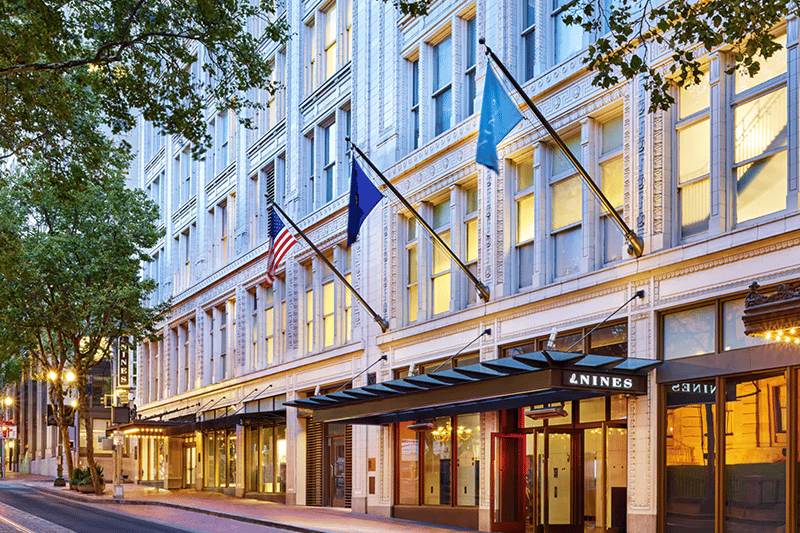
Stay in the heart of downtown Portland at The Nines, a Luxury Collection Hotel
Enjoy our exclusive conference rate of $229 per night
Room block deadline:
Friday, June 26, 2026
(Rooms are limited and may sell out early, so we recommend booking soon.)
Book your group rate for CollegeNET User Conference 2026
Schedule at a Glance
MONDAY, JULY 20
8:30 am – 4:30 pm
Pre-Conference Classes
TUESDAY, JULY 21
8:30 am – 4:30 pm
Pre-Conference Classes
12:00 pm – 4:30 pm
Registration / Information Booth Open — Cityview Living Room
4:45 pm – 5:15 pm
Presenter Meeting
5:30 pm – 8:00 pm
Conference Opening Reception
WEDNESDAY, JULY 22
7:00 am – 8:30 am
Hosted Breakfast — The Nines
7:30 am – 4:30 pm
Registration / Information Booth Open — Cityview Living Room
8:30 am – 9:20 am
Keynote Address: New and Upcoming
9:30 am – 11:20 am
In Session — Various Meeting Rooms
11:30 am – 1:30 pm
Lunch Break — On Your Own / First Timer Lunch
1:30 pm – 4:20 pm
In Session — Various Meeting Rooms
4:30 pm – 5:30 pm
Happy Hour – The Nines
6:00 pm —
Dinner On Your Own / Group Networking
THURSDAY, JULY 23
7:00 am – 8:30 am
Hosted Breakfast — The Nines
7:30 am – 3:30 pm
Registration / Information Booth Open — Cityview Living Room
8:30 am – 11:20 am
In Session — Various Meeting Rooms
11:30 am – 1:30 pm
Lunch Break — On Your Own
1:30 pm – 3:20 pm
In Session — Various Meeting Rooms
6:00 pm – 9:00 pm
Conference Farewell Dinner – Everett West
New events, value-packed sessions, and more. Click here to
Pre-Conference Classes
Are you new to using 25Live and need to learn as much about the product as soon as possible for your position? Or perhaps you are a long-time user or administrator that would like to learn more about new Series25 functionality and how it can support your evolving academic- or event-scheduling business processes? Surely there's a pre-conference class for you! Enhance your 25Live skill set as you work with our Series25 product experts.
All Pre-Conference Classes will be held in the The Nines Meeting Rooms
Light refreshments will be available during class breaks, however lunch is not provided and participants are free to explore nearby dining options during the scheduled lunch break.
Cancellation Policy
Cancellations before June 1, 2026, receive full refund. After June 1, 2026 for 50% refund. Any cancellations after July 1st, 2026 are not eligible for refund.
Series25 Pre-Conference Course Offerings by Date:
| Monday, July 20 8:30 am – 12:00 pm |
Exploring Lynx | 25Live Workflow, Tasks, and Notifications |
Document Management |
Building Event Calendars Using 25Live Publisher |
Using X25 Analytics |
Functional Administration Boot Camp |
| Monday, July 20 1:00 pm – 4:30 pm |
Schedule25 Optimizer & Section Analytics |
Embedding | ||||
| Tuesday, July 21 8:30 am – 12:00 pm |
Configuring Automatic Event Save Emails |
25Live Pricing: Concepts and Configurations |
Using 25Live: Basic Navigation and Use |
Workshop – Event Calendars using 25Live Publisher |
||
| Tuesday, July 21 1:00 pm – 4:30 pm |
Event Forms: Customization and Rules |
25Live Security Explained |
Using 25Live: Training Your Users |
Half Day Classes
25Live Pricing: Concepts and ConfigurationsReturn to Top
Half Day Class
Interested in generating invoices and revenue for your institution, but unsure where to begin? Or maybe you’ve already taken an initial look at some of the various Pricing settings in 25Live but could really benefit from a guided tour that takes you through the next steps? Come join 25Live Professional Services consultants for an overview and deep dive into pricing, invoicing, and payment management in 25Live! Don’t worry if you don’t have your own pricing sheets or formulas with you as this class is designed to give overviews of each of the main fundamentals of Pricing before going further in depth on each aspect. We will look at the basics behind configuring 25Live to generate charges based off events, discount rates for different types of organizations, as well as making ad hoc adjustments and more!
Intended Audience
Anyone who wants to set up billing, generate invoices, and manage payments in 25Live.
Prerequisites
- Users must have basic understanding and comfort in using 25Live (so that we can build off that and expand into the specifics of Pricing in 25Live).
- Recommended: The ability to view and set Pricing configurations and formulas in 25Live. You do not need to be in the 25Live System Administrator security group to do this, but there are specific security settings necessary to enable access to the various aspects of Pricing, which you can find in this Series25 Help article: https://knowledge25.knowledgeowl.com/help/security-permissions-required-for-pricing.
- Users must bring their own laptop or tablet device to participate in this session.
Schedule
Tuesday, July 21st – 8:30 am to 12:00 pm PDT
Fee
$400 per person
Presented By
Dan Ward
25Live Security ExplainedReturn to Top
Half Day Class
Are you a relatively new 25Live System Administrator and unsure where to begin on deciphering the back-end security settings? Do phrases such as “Object Security” or “Assignment Policy Window” cause your eyes to glaze over? Have you ever wondered what is the difference between Functional Security vs. Object Security? Then join us as we take a look at the various types of security settings found within 25Live! This class will not only cover the various types of security, but we'll also give some examples as to why you might go with some settings (or combination of settings) over others.
Intended Audience
25Live System Administrators (others might be able to benefit from an in-depth discussion of these back-end security settings, but this really is for top of the pyramid system administrators).
Prerequisites
- Users must have basic understanding and comfort in using 25Live. You must also have access to your back end 25Live administration and configuration views, such as the various System Settings and Group Administration tool.
- Recommended: Be in the dedicated 25Live System Administrator security group.
- Optional: Bring your own laptop or tablet device to be able to refer to your own institution's configurations and settings as we cover them in the training session.
Schedule
Tuesday, July 21st – 1:00 pm to 4:30 pm PDT
Fee
$400 per person
Presented By
Dan Ward
25Live Workflow, Tasks, and NotificationsReturn to Top
Half Day Class
Interested in exploring how 25Live can be configured to handle (and possibly automate) workflow notifications to reviewers and approvers? This class will start with basic fundamentals on Location and Resource request workflow before pushing beyond and into options for “service provider” groups (such as notifications to catering, campus police, facilities, etc.). We will explore the pros & cons of the multiple ways you can incorporate more workflow communications through 25Live!
Intended Audience
Event Schedulers or System Administrators looking to better understand Tasks and explore ways to send notifications for additional workflow outside of basic Locations/Resource requests.
Prerequisites
- Event Schedulers or System Administrators looking to better understand Tasks and explore ways to send notifications for additional workflow outside of basic Locations/Resource requests.
- Recommended: Experience in reviewing (if not setting) back-end configurations on Assignment Policy.
- Having knowledge of Notification Policy would be helpful (though not required).
- Optional: Bring your own laptop or tablet device to be able to refer to your own institution's configurations and settings as we cover them in the training session.
Schedule
Monday, July 20th – 8:30 am to 12:00 pm PDT
Fee
$400 per person
Presented By
Dan Ward
Configuring Automatic Event Save EmailsReturn to Top
Half Day Class
Need a way to communicate about your events in addition to workflow? With event save emails you can increase your communication based on Event States, Event Types, Locations, and many more items as well! Learn how to create custom email scenarios, email templates, and To Do templates in this workshop.
Intended Audience
25Live end users, specifically academic course and special event schedulers, and functional administrators who will train others at your institution.
Prerequisites
- An operational 25Live environment connected to a test or development database containing customer data or CollegeNET Sample data.
- Users must bring their own laptop or tablet device to participate in this session.
Schedule
Tuesday, July 21st – 8:30 am to 12:00 pm PDT
Fee
$400 per person
Presented By
Leonard Bretton
EmbeddingReturn to Top
Half Day Class
Embedding provides you with the tools to place 25Live Event Forms, Availability Views, and Event Listings directly within your institution's web pages. Have you been using a third-party form to collect event requests from students and external organizations? Remove the double entry process by allowing them to create event requests and answer your event intake questions without logging directly into 25Live.
Intended Audience
This training is targeted toward 25Live System Administrators and CMS administrators.
Prerequisites
- An operational 25Live environment connected to a test or development database containing customer data or CollegeNET Sample data.
- Access to your 25Live production or test instance with the appropriate security to access Embedding functionality.
- Users must bring their own laptop or tablet device to participate in this session.
Schedule
Monday, July 20th – 1 pm to 4:30 pm PDT
Fee
$400 per person
Presented By
Frederick Bauman
Event Forms: Customization and RulesReturn to Top
Half Day Class
In this workshop you will learn how to effectively create or update your event forms, ensuring that the information you request is balanced and that field instructions enhance the user experience. Whether your audience consists of students or faculty, you will gain a comprehensive overview of utilizing event forms with 25Live. Additionally, you will explore advanced techniques for event data collection, including how to implement tailored event form rules that allow for specific questions based on location or interdependent queries. Through practical demonstrations and best practices, you’ll discover how to build logical conditions based on various Event Form values, helping you optimize your forms and streamline the data collection process.
Intended Audience
Functional Administrators
Prerequisites
- System Administrator access in 25Live.
- Recommended: Come to the class with questions and ideas of what you would like your event forms to do, and a flow chart or spreadsheet of how you would like your questions to appear.
- Users must bring their own laptop or tablet device to participate in this session.
Schedule
Tuesday, July 21st – 1:00 pm to 4:30 pm PDT
Fee
$400 per person
Presented By
Leonard Bretton
Exploring LYNXReturn to Top
Half Day Class
Do you need a refresher on the academic process? Looking to improve your academic imports? Then this is the session for you! We will explore all the settings LYNX has to offer, including recommendations and pointed advice. Learn about binding, exam creation, and SIS to Optimizer considerations. We’ll also take some time to look at standard reports that can be leveraged for academic scheduling. This is your full LYNX walk through and a chance to ask questions from a subject matter expert!
Intended Audience
Academic Schedulers
Prerequisites
- Access to LYNX interface
- Users must bring your own laptop or tablet device to participate in this session.
Schedule
Monday, July 20th – 8:30 am to 12:00 pm PDT
Fee
$400 per person
Presented By
Tanya Frederick
Schedule25 Optimizer & Section AnalyticsReturn to Top
Half Day Class
New to Optimizer? Unsure how to leverage the tool most effectively for your institution? This class will give an overview of the Schedule25 Optimizer including how to build effective searches, understanding the role of partitions and features in optimizing space, managing run parameters, and use of the meeting pattern grid for those hard-to-schedule classes. We will also explore the use of Section Analytics throughout the term to stay on top of the academic schedule.
Intended Audience
Academic Schedulers
Prerequisites
- Access to the LYNX and Optimizer interfaces.
- Users must bring their own laptop or tablet device to participate in this session.
Schedule
Monday, July 20th – 1 pm to 4:30 pm PDT
Fee
$400 per person
Presented By
Tanya Frederick
Using 25Live: Basic Navigation and UseReturn to Top
Half Day Class
Join us as we discuss the core features and user capabilities of 25Live including navigation, searching, event creation, location assignment, complex event scheduling, and task management. We will explore 25Live from the user perspective. Participants can use the format of this session to assist in developing internal training for your institution.
Intended Audience
25Live end users, specifically academic course and special event schedulers, and functional administrators who will train others at your institution.
Prerequisites
- An operational 25Live environment connected to a test or development database containing customer data or CollegeNET Sample data.
- Users must bring their own laptop or tablet device to participate in this session.
Schedule
Tuesday, July 21st – 8:30 am to 12:00 pm PDT
Fee
$400 per person
Presented By
Frederick Bauman
Using 25Live: Training Your UsersReturn to Top
Half Day Class
You've configured your 25Live environment to meet your institutional business practices, and now it's time to train your end users on how to use it. Join us as we explore some best practices and identify different settings to consider for getting more out of training your users for 25Live adoption. Reduce user frustration by exploring what it's like to be a new user in 25Live. What do you wish you had been told the first time you logged in?
Intended Audience
Special event schedulers, functional administrators, and those who have a hand in training others at your institution.
Prerequisites
- An operational 25Live environment.
- Recommended: Bring your success stories of what has worked well at your school.
- Users must bring their own laptop or tablet device to participate in this session.
Schedule
Tuesday, July 21st – 1:00 pm to 4:30 pm PDT
Fee
$400 per person
Presented By
Frederick Bauman
Full Day Classes
Building Event Calendars using 25Live PublisherReturn to Top
One Day Class
Learn to administer and maintain calendars for web publishing including setting security for Publisher users, building event searches for calendars, publishing web feeds, and customizing the web publishing interface. Participants will also learn different methods used for building searches for event feeds as well as a method for creating a Publisher style sheet for campus calendars.
Intended Audience
Functional Administrators, Communications staff, IT staff, and Web Administrators who are responsible for the configuration and administration of the Series25 scheduling solution as it pertains to marketing and web calendaring.
Prerequisites
- An operational 25Live environment connected to a test or development database containing customer data or CollegeNET Sample data.
- Access to 25Live as the Publisher User and access to the 25Live Publisher account.
- Users must bring your own laptop or tablet device to participate in this session.
Schedule
Monday, July 20th – 8:30 am to 4:30 pm PDT
Fee
$800 per person
Presented By
Keith Stiles
Document Management: From Creating Custom Documents to Search-Based Occurrence Reports and SubreportsReturn to Top
One Day Class
Want to brand your Confirmation, Invoice, and Estimate reports? Looking to customize your Daily Setup Report but you don't have time to learn JReports? If so, then this class is for you! Discover how to use document management tools to personalize your reports, create search-based occurrence scopes, and build subreports for dynamic event calendars and reporting.
Intended Audience
Functional Administrators and/or report developers who have been tasked with creating custom reports.
Prerequisites
- Users must have Administrative Option 4.0 set to Yes in the Group Administration tool for their security group.
- Recommended: Come prepared with examples of reports that you would like to customize.
- Recommended: User have some knowledge of HTML and CSS.
- Users must bring their own laptop or tablet device to participate in this session.
Schedule
Monday, July 20th – 8:30 am to 4:30 pm PDT
Fee
$800 per person
Presented By
Leonard Bretton
Workshop - Event Calendars using 25Live PublisherReturn to Top
One Day Class
Do you need additional help building your calendars using 25Live Publisher? Need further guidance on best practices for driving campus events from 25Live to 25Live Publisher? Have existing calendars that you think need work or are not functioning as you want them to? Bring those questions and workshop with your instructor. This session is designed for Publisher users to work on campus calendars with your instructor. The concept is that you could leave this session and have at least one calendar styled and ready for posting on a campus website. As a working session, you will need to come to the workshop prepared to build a calendar from start to finish. The instructor will provide a list of materials you'll need to collect prior to attending the class in order to be successful in the efforts at building a calendar. * Requires enrollment in the Building Event Calendars using 25Live Publisher course (Monday Session).
Intended Audience
Functional Administrators, Communications staff, IT staff, and Web Administrators who are responsible for the configuration and administration of the Series25 scheduling solution as it pertains to marketing and web calendaring.
Prerequisites
- An operational 25Live environment connected to a test or development database containing customer data or CollegeNET Sample data.
- Access to 25Live as the Publisher User and access to the 25Live Publisher account.
- Users must bring their own laptop or tablet device to participate in this session.
Schedule
Tuesday, July 21st – 8:30 am to 4:30 pm PDT
Fee
* Requires enrollment in Building Event Calendars using 25Live Publisher (Monday Session). $800 per person, $1600 for both days.
Presented By
Keith Stiles
Two Day Classes
Functional Administration Boot CampReturn to Top
Two Day Class
Develop the skill set needed for maintaining a 25Live environment as a Functional Administrator. Learn the foundations of security, user management, day-to-day workflow, creating user training workshops and many other topics related to 25Live administration. Many new functions were added since 2025, which we will explore! Newer Functional Administrators can expect to leave this class with a clear expectation of their duties as well as a plan for training local users. Seasoned Functional Administrators will leave with new implementation and procedural ideas as well as new perspectives on their current processes.
Intended Audience
25Live Functional Administrators as well as Project Managers tasked with staffing this position.
Prerequisites
- An operational 25Live environment.
- System Administrator access in 25Live.
- Users must bring their own laptop or tablet device to participate in this session.
Schedule
Monday, July 20th and Tuesday, July 21st – 8:30 am to 4:30 pm PDT each day
Fee
$1600 per person
Presented By
Dustin Crays
Using X25 AnalyticsReturn to Top
Two Day Class
Learn to use X25 Analytics to answer pressing questions about space usage and scheduling on your campus. This two-day seminar provides a hands-on opportunity for you to explore X25 Analytics functionality (including modeling) in depth.
Intended Audience
Anyone who uses X25 to provide, receive or use space management information for your campus – registrars, institutional researchers, facility planners, provosts, deans of instruction and academic affairs, and primary academic schedulers.
Prerequisites
- X25 must be currently licensed.
- Access to the X25 Analytics tool via your 25Live environment; Administrative Access to X25 Analytics.
- Customer's X25 Analytics site must contain at least one recent, complete snapshot of academic course data (i.e., a semester's worth of academic classes) per student.
- Users must bring their own laptop or tablet device to participate in this session.
Schedule
Monday, July 20th and Tuesday, July 21st – 8:30 am to 4:30 pm PDT each day
Fee
$1600 per person
Presented By
John Libra
Guest Passes & Excursions
Bringing a guest? They’re welcome to attend and enjoy our Opening Reception for a $75 guest fee, which includes food, drinks, and a fun evening of mingling and celebration.
Join us for a relaxing and beautifully curated day in Oregon’s renowned Willamette Valley wine country. This guided, small-group experience is designed to give you a true taste of the region — great wine, scenic views, and time to connect with fellow conference attendees.
We are looking to add a variety of pre- and post-conference excursions this year! More details coming soon, but if you are a wine drinker, this one is for you!

Winery Tour
Join us for a relaxing and beautifully curated day in Oregon’s renowned Willamette Valley wine country. This guided, small-group experience is designed to give you a true taste of the region — great wine, scenic views, and time to connect with fellow conference attendees.
What the day looks like
The tour runs approximately 6.5 hours, starting around 10:00am and returning by 4:30pm.
Your hosts will take care of all logistics, transportation, and winery reservations — all you need to do is relax and enjoy the day.
We have two options: pre-conference on Tuesday, July 21 or post-conference on Friday, July 24. Be sure to choose the correct date when you purchase your ticket.
Food & what to bring
Food is provided at both wineries, though we recommend bringing a small snack if you prefer something extra during the day.
Cost
$150 per person
This all-inclusive price covers:
• Transportation (light rail and private vehicles)
• Winery reservations and tasting fees
• Professional guides
• Food pairings at both wineries
Gratuities for winery staff and guides are optional and not included.


Food & what to bring
Food is not included on this tour, though we will stop for lunch at Multnomah Falls. We recommend bringing a small snack if you prefer something extra to snack on throughout the day.
Cost
$125 per person
This all-inclusive price covers:
• Transportation
• Professional guides
Gratuities for restaurant staff and guides are optional and not included.
Columbia Gorge Waterfall Tour
Let’s go chasing waterfalls on a trip to Oregon’s Columbia River Gorge National Scenic Area. On this guided tour you’ll learn all about the area and stop at 5 huge waterfalls including the tallest in Oregon, Multnomah Falls. This is an active tour; at each waterfall park we will get out and walk to the waterfall to get the best view. There’s about 1 mile of walking spread between the 5 stops.
Lunch with a view of the waterfall will be at the Historic Multnomah Falls Lodge where there’s also a gift shop and bar. *Lunch is not included in the tour fee.
This is an experience you will not forget!
Pickup is at 10:00 am at the Nines and drop off is at 3:00 pm.

Logistics
Everything you need to know to make your trip to the CollegeNET User Conference smooth, easy, and stress-free!
Conference Venue
The Nines Hotel
525 SW Morrison Street
Portland, OR 97204
The conference will take place at The Nines, located in the heart of downtown Portland and within easy walking distance of shopping, dining, and transit.
We have secured a special room block with a discounted rate at The Nines Hotel for conference attendees. We recommend booking early, as the room block is limited.
Book your group rate for CollegeNET User Conference 2026
Travel
Nearest airport: Portland International Airport (PDX)
The Nines is approximately 30 minutes from PDX by car or light rail.
Getting to the hotel:
-
Uber / Lyft: Widely available at PDX
-
MAX Light Rail: Take the Red Line from PDX to Pioneer Courthouse Square, located directly across from The Nines
Registration & Badge Pickup
Conference registration and badge pickup will be available onsite at The Nines.
Hours and exact locations will be posted in Whova prior to the conference.
Food & Beverage
Food and beverages will be provided during:
- Opening Reception - Tuesday, July 21
- Breakfast: Wednesday and Thursday mornings
- First Timers Lunch - Wednesday, July 22
- Happy Hour - Wednesday, July 22
- Farewell Dinner - Thursday, July 23
Some meals on your own will offer you time to explore nearby food trucks and restaurants.
Getting Help Onsite
The CollegeNET conference team will be available at the registration desk throughout the event. If you need assistance, just stop by — we’re happy to help.
Need help before the conference starts? Reach out to us at unconf@collegenet.com anytime!
FAQs
Q. Who should attend the conference?
The conference is designed for CollegeNET customers — including schedulers, administrators, and campus leaders — who want to deepen their Series25 product knowledge, share best practices, and connect with peers.
Q. What can I expect to learn or experience?
Attendees can anticipate:
- Hands-on learning sessions and workshops
- Product updates and previews of new features
- Customer-led presentations and real-world case studies
- Networking opportunities and social events
- Excursions and community-building activities (details coming soon)
Q. Where does the conference take place?
The Nines Portland Hotel, 525 SW Morrison St. Portland, OR 97204
Q. I have general questions about the conference, who should I reach out to?
We are always happy to answer any questions or concerns. Contact us at uconf@collegenet.com
Q. Are there social or networking events included?
Yes! In addition to educational sessions, the event features opportunities to connect socially — from evening receptions to (optional) planned excursions around Portland.
Q. Will there be hands-on product training?
Yes. Prior conferences have featured hands-on labs, interactive workshops, and sessions to help you master advanced Series25 features and other tools.
Q. Can I present at the conference?
Absolutely! Our user conference is best when our users (like you!) participate and share their knowledge with others. If you’d like to present, check the call for speakers link on our website.
Q. I have registered for a pre-conference class. When will I receive more information about the class?
Our Training Team will be in touch via email approximately 10 days prior to class confirming room location, class logistics and additional details.
Snacks and beverages are provided during AM and PM breaks.
Q. Is there an opportunity for pre-conference training?
Yes, we hold partial day, 1 day, and 2-day pre-conference classes before the conference. Reach out to us at uconf@collegenet.com for more information and to get registered.
Q. Where will pre-conference training classes be held?
All pre-conference classes will be held in meeting rooms in The Nines Portland Hotel.
Q. Who should I contact if I have a question about the pre-conference class I have registered for?
For any pre-conference class, contact: training@collegenet.com
Q. How can I get a receipt for my online payment?
Your registration confirmation email includes the amount paid and acts as your receipt. If your accounting department requires something additional, contact uconf@collegenet.com
Q. Are hotel rooms available at a discounted rate?
Yes — a block of discounted rooms at a low, negotiated rate is held for attendees at The Nines Hotel.
Q. What's included with regard to food and beverage in my conference registration?
Two breakfasts (Wednesday and Thursday), two dinners (Tuesday and Thursday), and for the first time, we are holding a cocktail hour on Wednesday evening as well! All are included in your conference registration. Also brand new this year: a First Timers lunch will be Wednesday.
Q. Cancellation & Refund Policy
You will receive a full refund for your conference registration and/or pre-conference class if cancellation request is received by June 1, 2026. Conference registrations canceled by July 1, 2026 are eligible for a 50% refund. (Pre-conference training courses are not eligible for the 50% refund.) After July 1, 2026, no refunds will be issued for any registrations or training courses.
Q. Do you have an attendance request form I can share with my manager for approval to attend CONNECT?
Yes. We’ve created a simple form you can share with your manager or department to request approval to attend our user conference. The form outlines the value of attending and can help support your professional development or travel request.
Q. What should I bring or prepare before coming?
Bring:
- A charged laptop for hands-on labs
- Business cards for networking
- Notepad or digital notes for action items
- Questions or scheduling challenges you’d like to tackle
Q. How can I get from the airport to the conference hotel?
The best way to understand your options is to visit the link below. There are shuttle options, taxis and the Tri-Met MAX Light Rail commuter train which provides a quick, easy trip to downtown Portland that drops you off less than one block from The Nines Hotel.
https://www.flypdx.com/GroundTransportation
Q. Which conference events can my guest attend with me?
With a $75 fee for each event ($150 total if you choose both) your guest can attend the Opening Event and the Farewell Dinner. A guest badge is required. Contact uconf@collegenet.com for the Guest registration form.
Q. Can my guest come to breakfast with me?
Sorry, breakfast is set for registered attendees only as it is just prior to general session. Room seating and catering amounts are optimized for the number of conference attendees.
Q. Can my guest attend sessions with me?
No, your registration allows for only you to attend sessions.
Q. Will you have pre- or post-conference excursions?
Yes! Optional pre- and post-conference excursions will be announced soon, providing opportunities to explore the surrounding area and enjoy local experiences.
Q. I have a special dietary need, can it be accommodated?
If you have stated your dietary needs on your registration form, we do our best to accommodate them. If you did not state dietary needs on your registration form, please email uconf@collegenet.com as soon as possible.
Q. What can I do for fun while in Portland in my free time?
There are so many great activities to enjoy in our beautiful city! We recommend exploring the following websites:
https://www.travelportland.com/
https://www.traveloregon.com
https://www.pdxmonthly.com/arts-and-culture/what-to-do-in-portland
https://www.ytravelblog.com/things-to-do-in-portland-oregon/